

1. Through Microsoft
Where
1.1. On the web:
A. Microsoft Store on Xbox, through both the single item “Buy” or “Buy Now” options, and the full cart/checkout experience.
B. Microsoft Store on Microsoft.com, only through the cart/checkout experience.
1.2. On Xbox consoles:
C. Microsoft Store App on console, only through the single item “Buy” or “Buy Now” options.
D. In-game purchases powered by the Microsoft Store (some exclusions may apply, see below).
1. Through Microsoft
For what
- All digital games and add-ons (such as DLC, expansions, virtual currency, etc.)
- Hardware and consumer electronics including pre-orders (consoles, controllers, accessories, headsets, etc.) which are available through the full cart/checkout experience.
- Pre-orders (digital and hardware)
- The first payment for gaming subscriptions (such as Game Pass Ultimate, Game Pass Standard, Game Pass Core, PC Game Pass, EA Access, Ubisoft+)
- Gift cards
- All other consumer digital goods
2. Through Barclays:
Where
2.1.BarclaysUS.com
2.2 Calling the number of the back of your Xbox Mastercard
2. Through Barclays:
For what
Xbox Gift Cards
1. Redeeming through Microsoft
1.1. On the web:
A. Microsoft Store at Xbox
You can redeem your card points in the Microsoft Store at Xbox.com, when signed in with the same Microsoft account associated with your Xbox Mastercard and purchasing eligible digital products (see section E) through the single item “Buy” or “Buy Now” options, and digital and physical products through the full cart/checkout experience.
When you redeem your card points toward the purchase you make with your Xbox Mastercard via the Buy or Buy Now option, the dollar amount you choose to redeem will apply to the pre-tax purchase amount and will appear as a credit on your credit card statement.
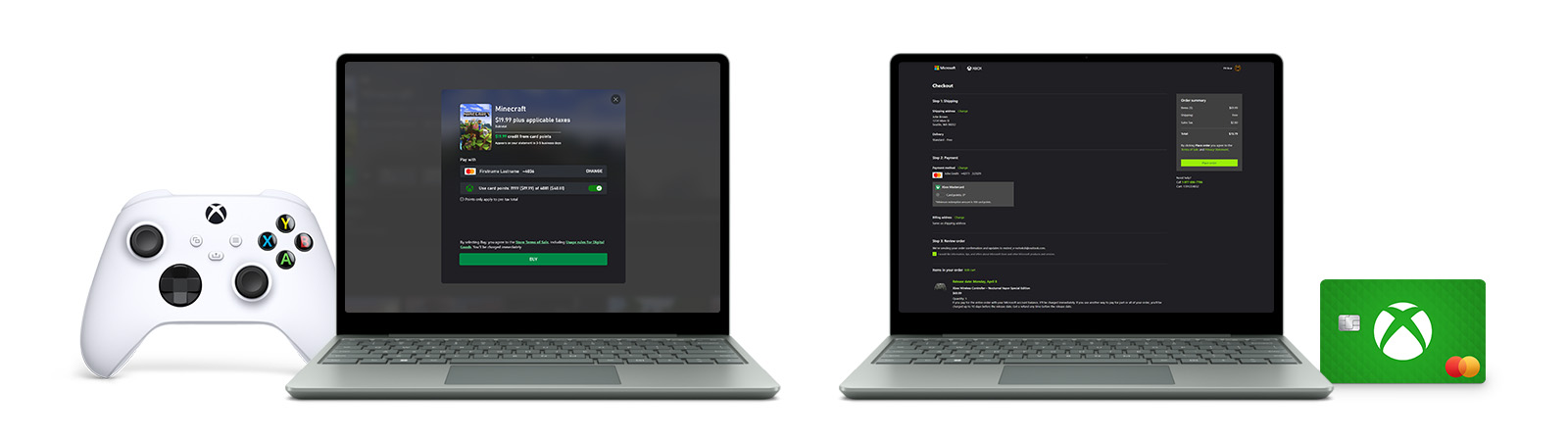
When you redeem your card points toward the purchase you make with your Xbox Mastercard through the cart checkout, the dollar amount you choose to redeem will apply to the full purchase amount (including tax) and will appear as a credit on your credit card statement.
B. Microsoft Store
You can redeem your card points in the Microsoft Store at Microsoft.com, when signed in with the same Microsoft account associated with your Xbox Mastercard and purchasing eligible products (see section E) through the cart/checkout experience.
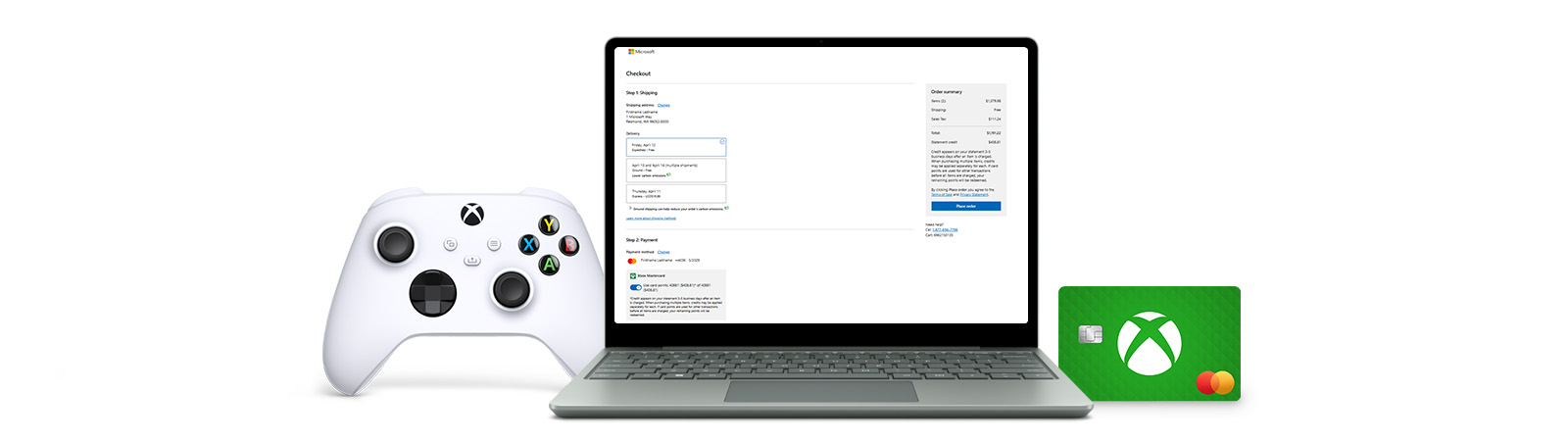
Please note that redeeming card points when making purchases at Microsoft.com through “Buy” or “Buy Now” options is not available.
1.2. On Xbox consoles:
C. Microsoft Store app on console
You can redeem your card points in the Microsoft Store on Xbox consoles, when signed in with the same Microsoft account associated with your Xbox Mastercard and purchasing eligible digital products (see section E) through the single item “Buy” or “Buy Now” options.
When you redeem your card points on console, the dollar amount you choose to redeem will apply to the full purchase amount (including tax) and will appear as a credit on your credit card statement.
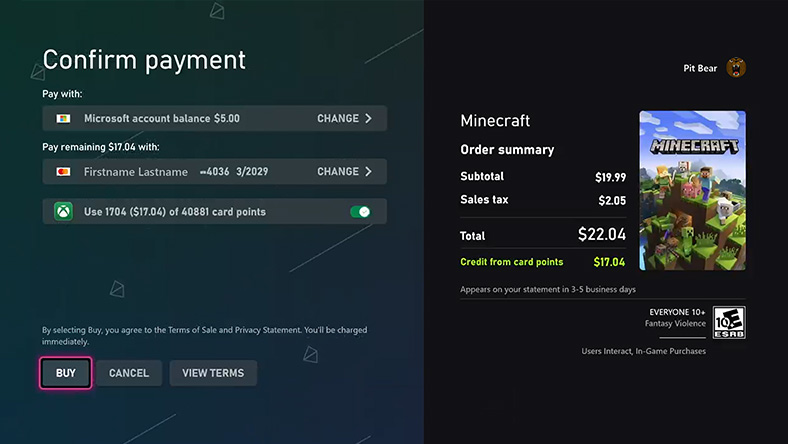
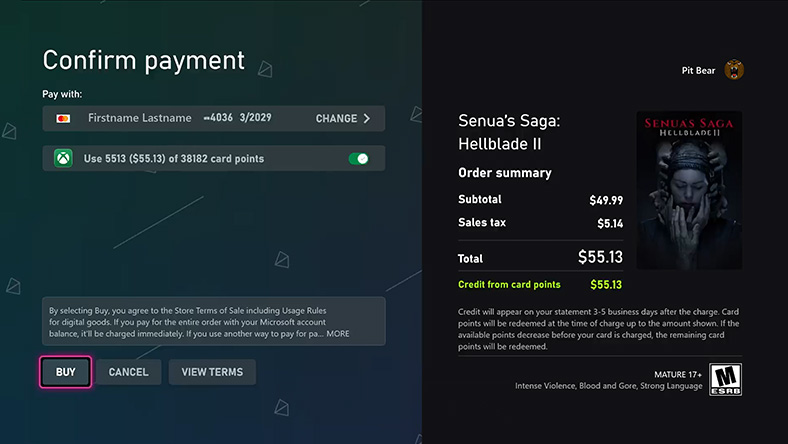
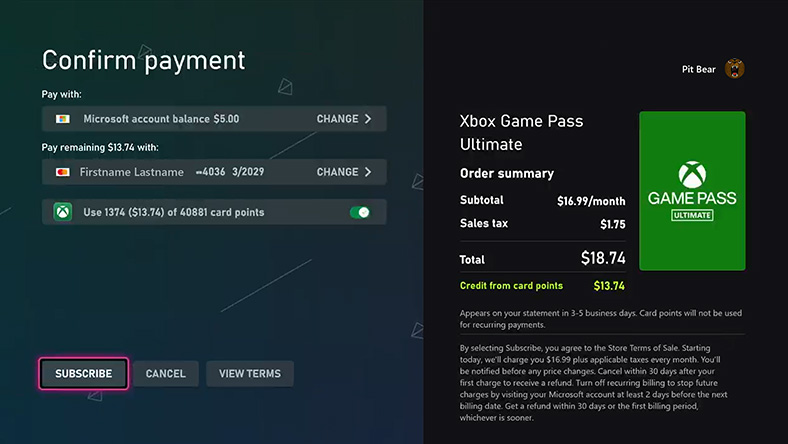
Please note that redeeming card points when making purchases on Xbox consoles through the cart/checkout experience is not available.
D. In-game purchases powered by the Microsoft Store
You can redeem your card points for in-game eligible purchases for titles powered by the Xbox Store, including those published by Xbox Game Studios, Bethesda Softworks, Rockstar Games, Warner Bros. Games, Electronic Arts, Activision, 2K, Ubisoft, Roblox, and Epic, when signed in with the same Microsoft account associated with your Xbox Mastercard and purchasing eligible items. Availability of in-game redemption options depend on the specific game and the nature of a game’s in-game currency.
When you redeem your card points toward the purchase you make with your Xbox Mastercard via the Buy or Buy Now option, the dollar amount you choose to redeem will apply to the full purchase amount (including tax) and will appear as a credit on your credit card statement.
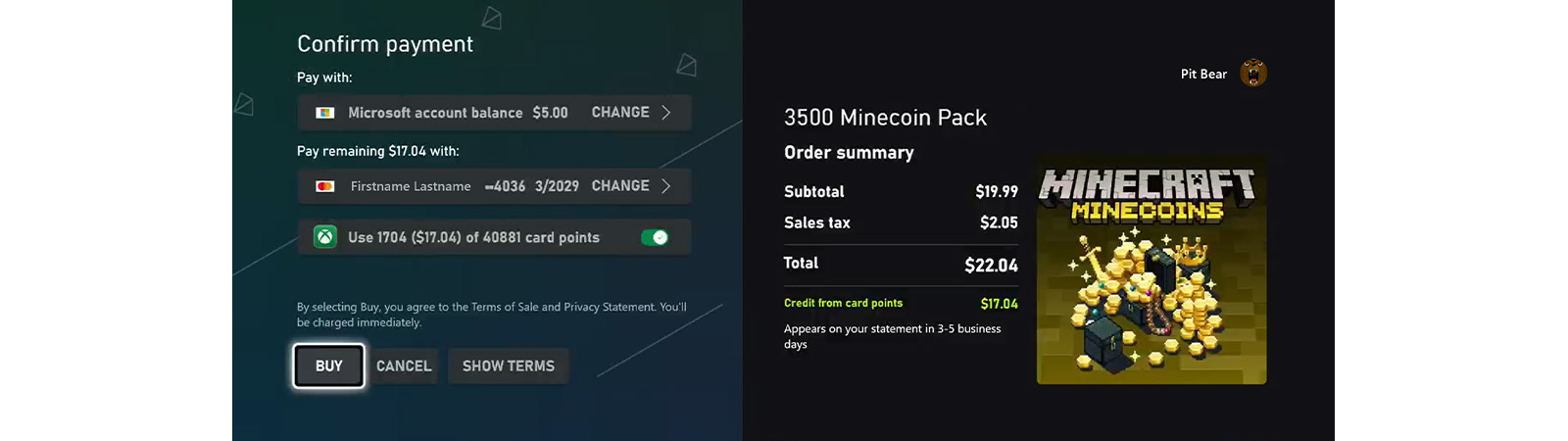
Please note that redeeming card points on other non-Microsoft platforms is not available, including Xbox Game Studios titles published on other platforms (for example, Minecraft on Nintendo Switch).
E. Additional details
- Redemption-eligible purchases include the following eligible products whenever available in sections A-D:
- Digital games and add-ons (including DLC, expansions, virtual currency, etc.)
- Hardware and consumer electronics (consoles, controllers, accessories, headsets, etc.)
- Pre-orders (digital and physical)
- The first payment for gaming subscriptions (such as Game Pass Ultimate, Game Pass Standard, Game Pass Core, PC Game Pass, EA Access, Ubisoft+)
- Gift cards
- All other consumer digital goods
Please note that redeeming card points when making purchases of the following products and experiences is not available:
- “Buy as gift” option
- Recurring automatic payments for subscriptions (card point redemption only available for the first period payment)
- In-game purchases that don't require cash to complete purchase
- Purchases at Xbox Design Lab
- Purchases at Xbox Gear Shop
- Purchases at Bethesda Gear Shop
- Microsoft 365 and other subscriptions
- Microsoft commercial products
- Additional inclusions and exclusions may apply. The availability of redemption options may change over time. This page will be periodically updated to reflect available redemption options and redemption-eligible products.
2. Redeeming through Barclays
As a primary cardmember, you can redeem your card points for Xbox Gift Cards:
2.1. By logging into your Xbox Mastercard account here, or
2.2. By calling the number on the back of your Xbox Mastercard.
Your authorized users can redeem card points for Xbox Gift Cards by calling the number on the back of their Xbox Mastercard.
Xbox Gift Cards available through Barclays are administered by IDS Ohio, Inc. (InComm InCentives).
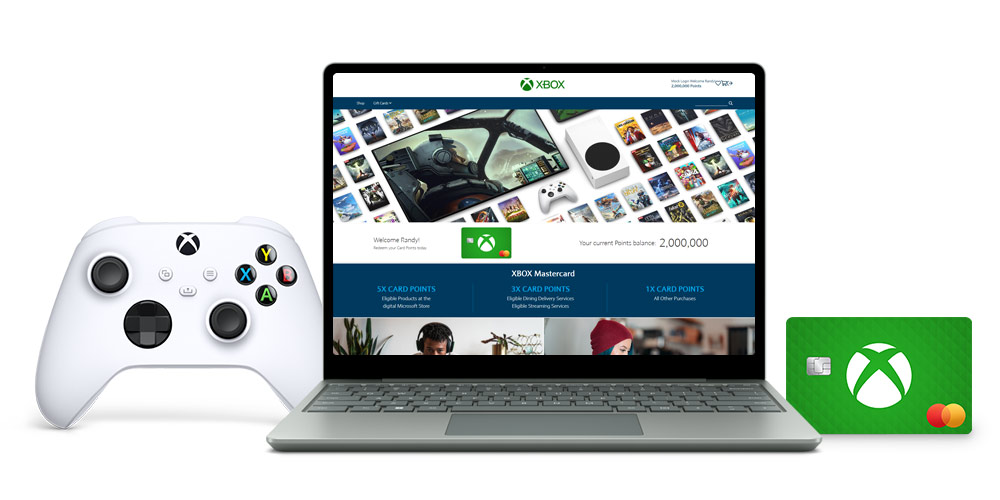
For full information about your Xbox Mastercard rewards and earning card points, visit: Reward Rules.
For more information about earning card points, visit BarclaysUS.com/XboxMastercardRewards.
For answers to most common questions, visit Xbox Support


