

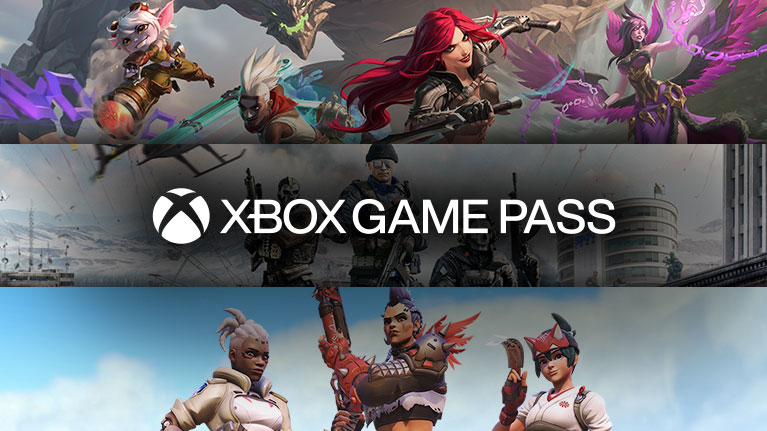

In-game benefits
Get in-game benefits for free-to-play games and more, including monthly and seasonal drops.
1.
Become an XBOX Game Pass subscriber
Join Game Pass to access in-game benefits in some of the biggest free-to-play games and more.
JOIN GAME PASS2.
Explore in-game benefits
Find details about current benefits for each game on XBOX console, the XBOX PC app, or the XBOX mobile app.
DOWNLOAD THE PC APP3.
Get set up to redeem benefits
Follow the required steps for each game to get ready to claim your benefits.
4.
Claim your in-game benefits
Launch a supported game on your XBOX console, PC, or supported device to claim your in-game benefits.

XBOX console
Select the Benefits button on the Home screen or in the XBOX Game Pass section.

XBOX mobile app
Tap the Benefits button on the Home screen or within the XBOX Game Pass section.
GET THE MOBILE APP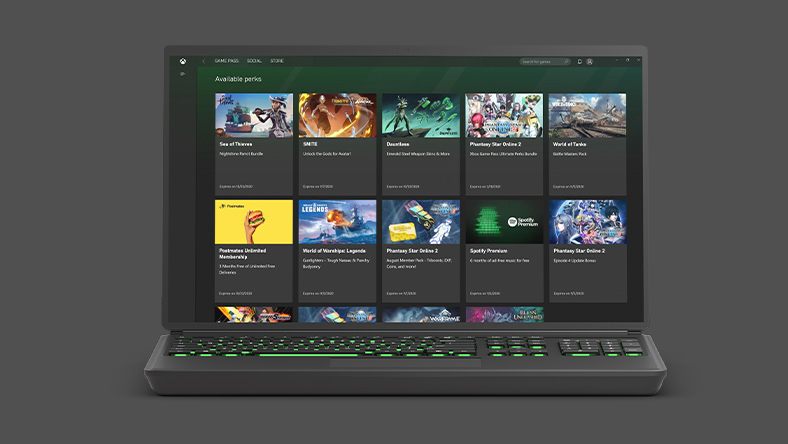
XBOX PC app
Click the Benefits button on the Home or XBOX Game Pass tab in the XBOX PC app.
GET THE PC APP
Choose the plan that’s right for you
-
Premium
Get your first 14 days for $1, then $XX.XX/month1
 PLAY ON DAY ONE
Subscription continues automatically.
See terms.200+ games playable on console and PC
- New XBOX-published games within 1yr of launch2
- Benefits for games like League of Legends and Call of Duty: Warzone
- Online console multiplayer
Frequently Asked Questions
In-game benefits are available to Game Pass Ultimate, Premium, Essential and PC Game Pass subscribers.
Yes. In-game benefits can be accessed on console, PC, or via cloud gaming on xbox.com.
Content is updated on a monthly or seasonal cadence, depending on the game.
Go to the participating game’s website to link your XBOX profile. For step-by-step instructions, visit our support page.
If you’re having trouble redeeming your benefit, please contact XBOX Support.
Yes, in-game benefits will be removed if you unsubscribe or change your subscription to Game Pass Essential or Premium.
The recurring billing feature is switched on by default, meaning you'll automatically pay for a new subscription period when your current period ends.
You can switch recurring billing off and back on through your Microsoft account or from your console. Learn more about stopping recurring billing at Microsoft Support.
If you did not want to be charged for recurring billing, but failed to switch off recurring billing before your payment was processed, you’re still entitled to a refund of your most recent recurring billing charge if you cancel your subscription within 30 days after payment. This refund right is limited to one time per Microsoft account, per subscription product. You can submit such a refund request to our Support team: Request a refund.
See more FAQs
-
XBOX Subscription and Cloud Terms:
See xbox.com/terms. -
*Some experiences not available during the promotional period, including Fortnite Crew benefits.
-
Promotional Offers:
1Sign in for your available offers. Eligibility varies by offer; some offers are for new subscribers only. Offers are available for a limited time in select regions only. Valid payment method required. After promotional period, subscription automatically continues at the normal price in force at the time, unless cancelled.
2Select games. Excludes Call of Duty titles. -
XBOX Game Pass:
Game library and benefits vary over time and by region, device and XBOX Game Pass plan. See the current game library at xbox.com/xbox-game-pass/games. Select regions. -
Recurring Billing:
By subscribing you are authorising recurring payments made to Microsoft at the intervals you selected, until cancelled. To stop being charged, cancel your subscription in your Microsoft account (account.microsoft.com/services) or on your XBOX console, before the next billing date. Charges may be increased with at least 30 days notice as described in the Microsoft Store Terms of Sale.


